A free movie journal with every feature included
MovieLog is a free, independently owned site for logging, rating and reviewing movies, and for finding what to watch next. It has no paid tier and no ads.

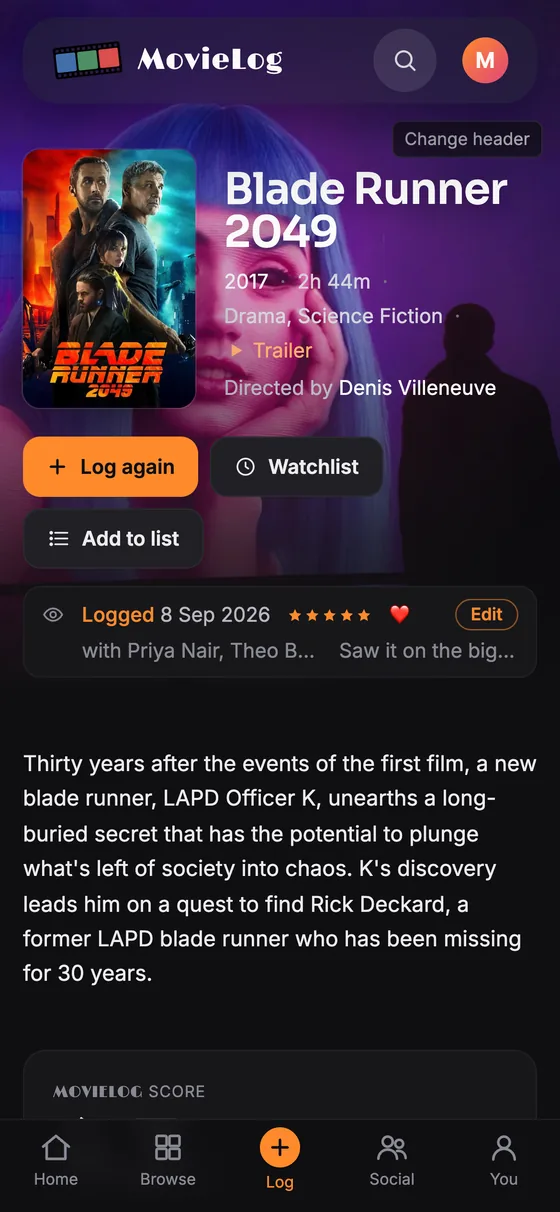
Log a film in seconds
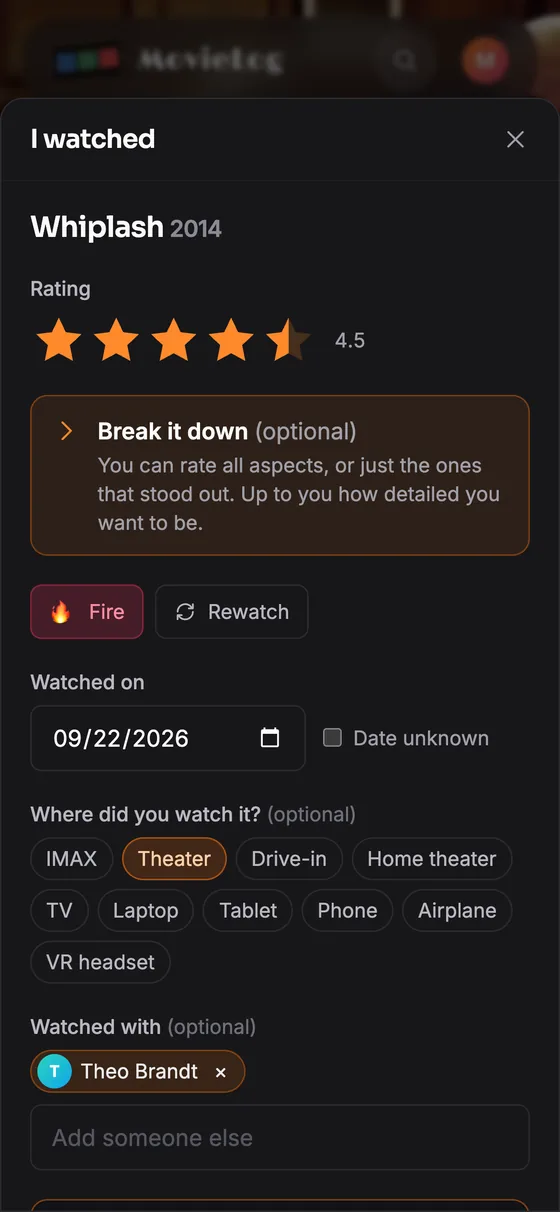
Logging a film takes a few seconds: open the log sheet, pick stars, save. Everything else is optional: a date, a review, a spoiler flag, a rewatch mark, where you watched, aspect ratings and a photo. Use only the stars, or use all of it.
- One reaction, any emoji. Mark how a film landed with love, thumbs up, thumbs down, funny, moving, hug, angry, shocked, fire or applause, or search every emoji and pick any one you like.
- Where you watched. Tag each viewing as IMAX, theater, drive-in, home theater, TV, laptop, tablet, phone, airplane or VR headset.
- Watched with. Tag the people you watched with. It shows on the entry and counts toward their year in review.
- Private notes. Keep a note on any entry that only you can read, separate from the public review.
Rate the whole film, or its parts
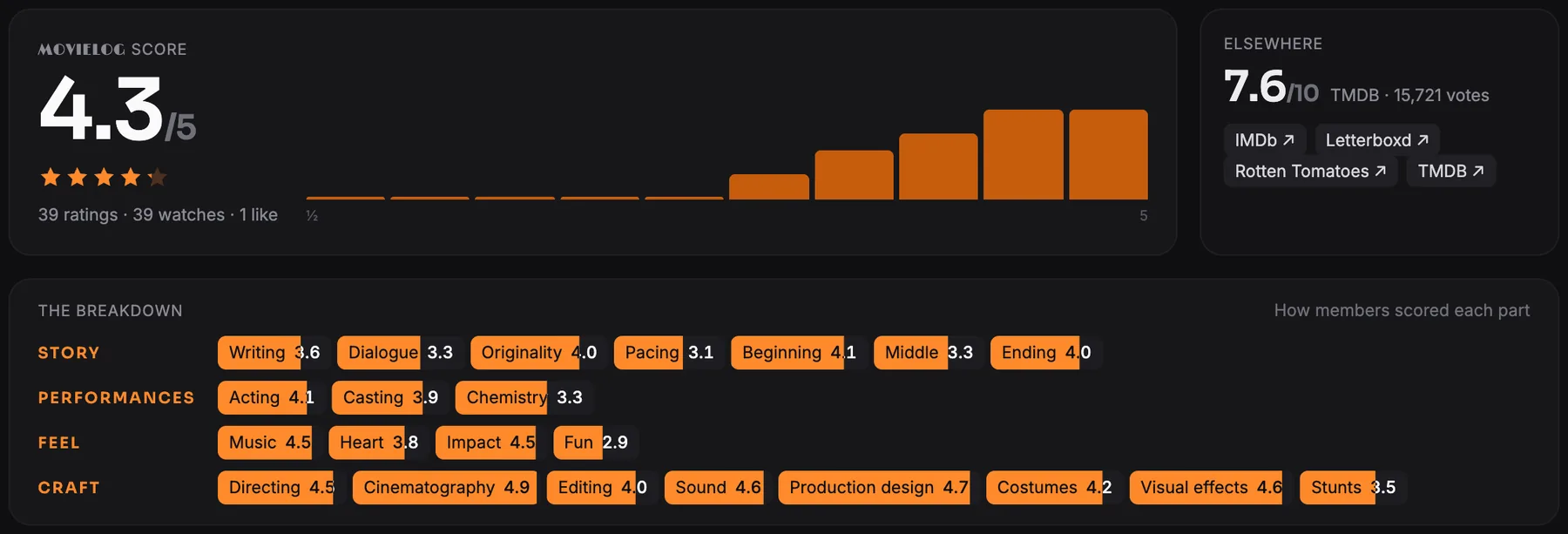
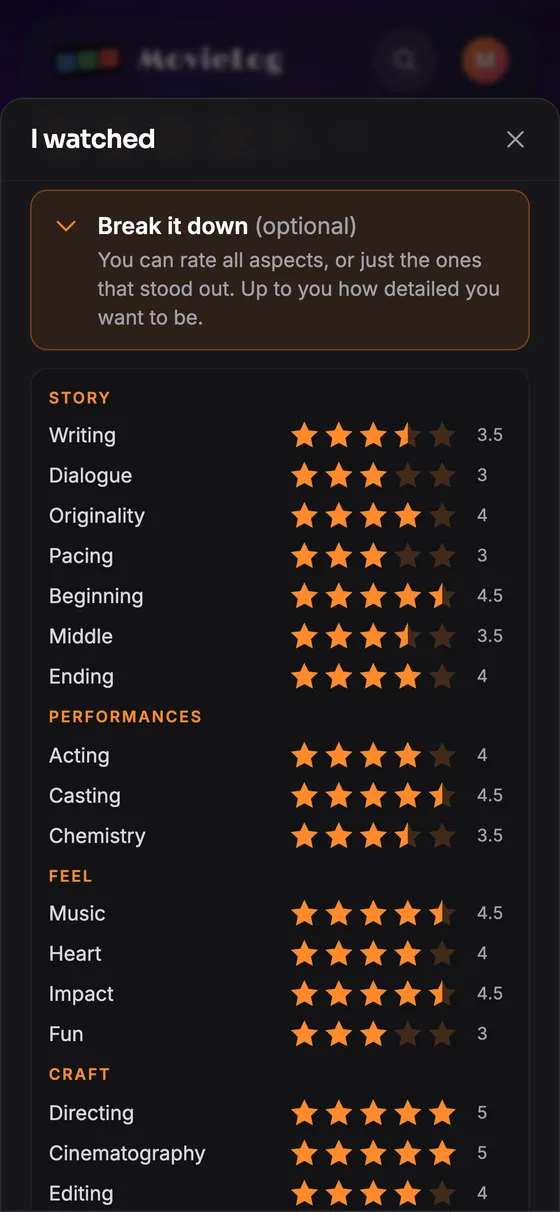
Rate a film out of five, then optionally rate 22 aspects grouped as story, performances, feel and craft: writing, dialogue, originality, pacing, beginning, middle, ending, acting, casting, chemistry, music, heart, impact, fun, directing, cinematography, editing, sound, production design, costumes, visual effects and stunts.
Score only what stood out. Film pages show the community average for each aspect, in the same four sections, so you can see at a glance what a film does best.
Reviews with more than text
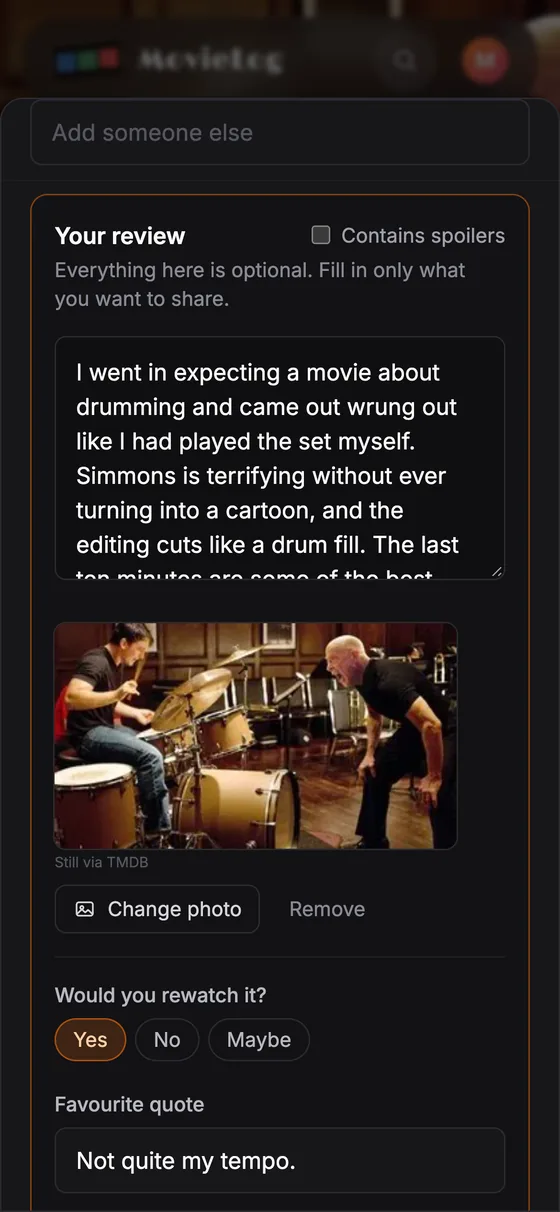
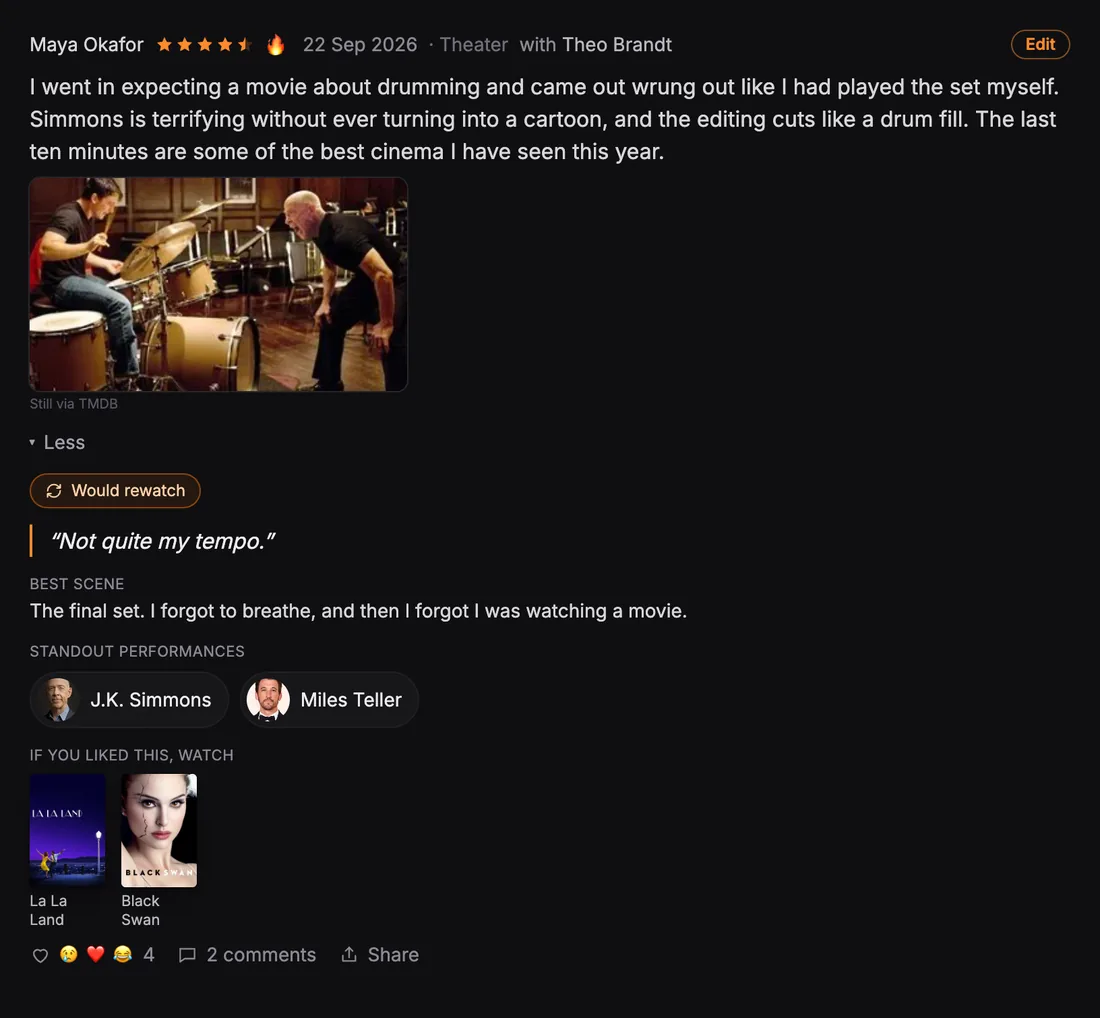
Add optional sections under any review: would you rewatch it (yes, no, maybe), a favourite quote, the best scene, standout performances picked from the cast, and "if you liked this, watch" with films you choose. Attach a still from the film, and share any review as an image. None of it needs main text, so a review can be just a favourite quote or a photo.
In feeds a review stays short: stars, a reaction, the text and the photo. One tap on Full review opens the rest, and a review with no main text shows its parts straight away. Readers react with the same ten emojis and can comment.
Browse 100,000 films, find what you have seen and what you want to see

Browsing is the core of MovieLog. The Browse page has 36 movie strips you scroll sideways: genres, decades, languages, hidden gems, deep cuts, long films, short films and the silent era, plus strips of directors, writers, cinematographers, composers and trending actors.
Every poster shows your history. Films in your journal carry an orange outline and your rating, so one glance separates what you have seen from what you have not. On desktop, hover any poster to log it, add it to your watchlist or put it on a list without leaving the page.
The hidden gems strip lists films rated 7.5 or higher by a few hundred people, and deep cuts lists films under 200 votes that still rate above 7. Both surface good films that popularity rankings bury.
Each film page shows where to stream, rent or buy the film in your country, with community ratings, cast and crew, and major awards.
A journal that shows you your own taste
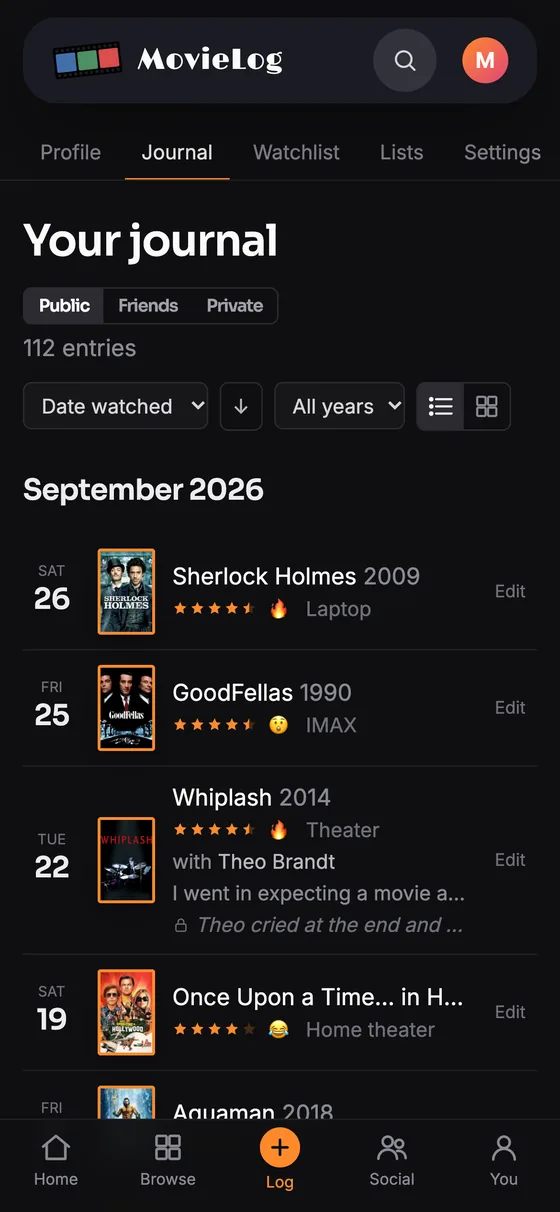
Every entry lands in your journal, and the journal turns into statistics without any extra work.
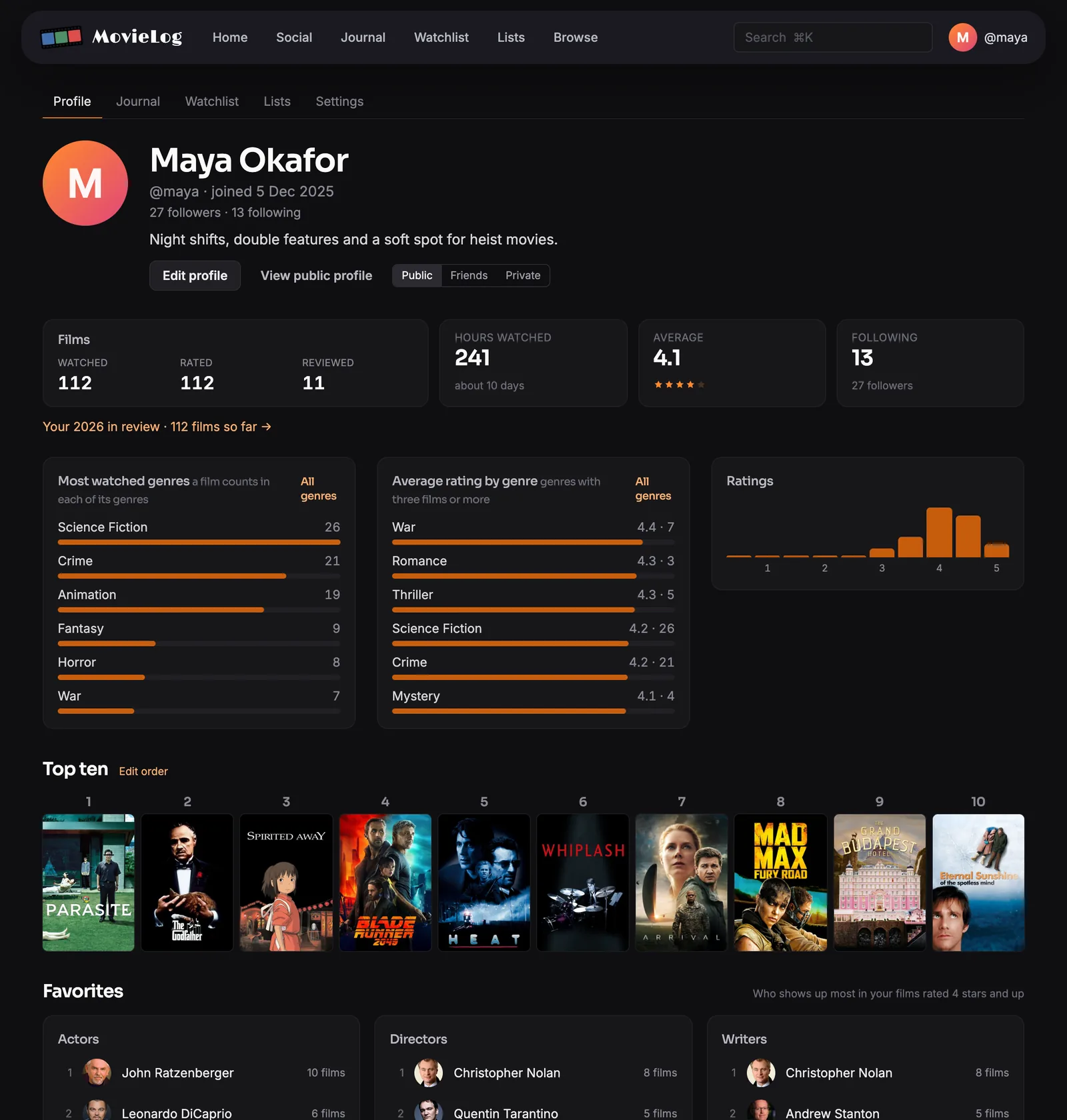
- Profile statistics. Films logged, films this year, average rating, a genre breakdown and a rating histogram. Each number opens the matching journal entries.
- Favorite actors and filmmakers. Your top actors, directors, writers, cinematographers and composers, calculated from the films you rated 4 stars or higher.
- Filters and sorting. Filter by year, genre, rating, liked and reviewed. Sort by watch date, review date, release date, rating or title.
- Rewatch counts. A film page shows how many times you have watched it, with every entry listed and one tap to edit.
Your profile
Everything the journal adds up to, on one page: your Top ten, films and hours, your average rating, the genres you watch and rate highest, and the actors and filmmakers who show up most in the films you rate 4 stars and up.
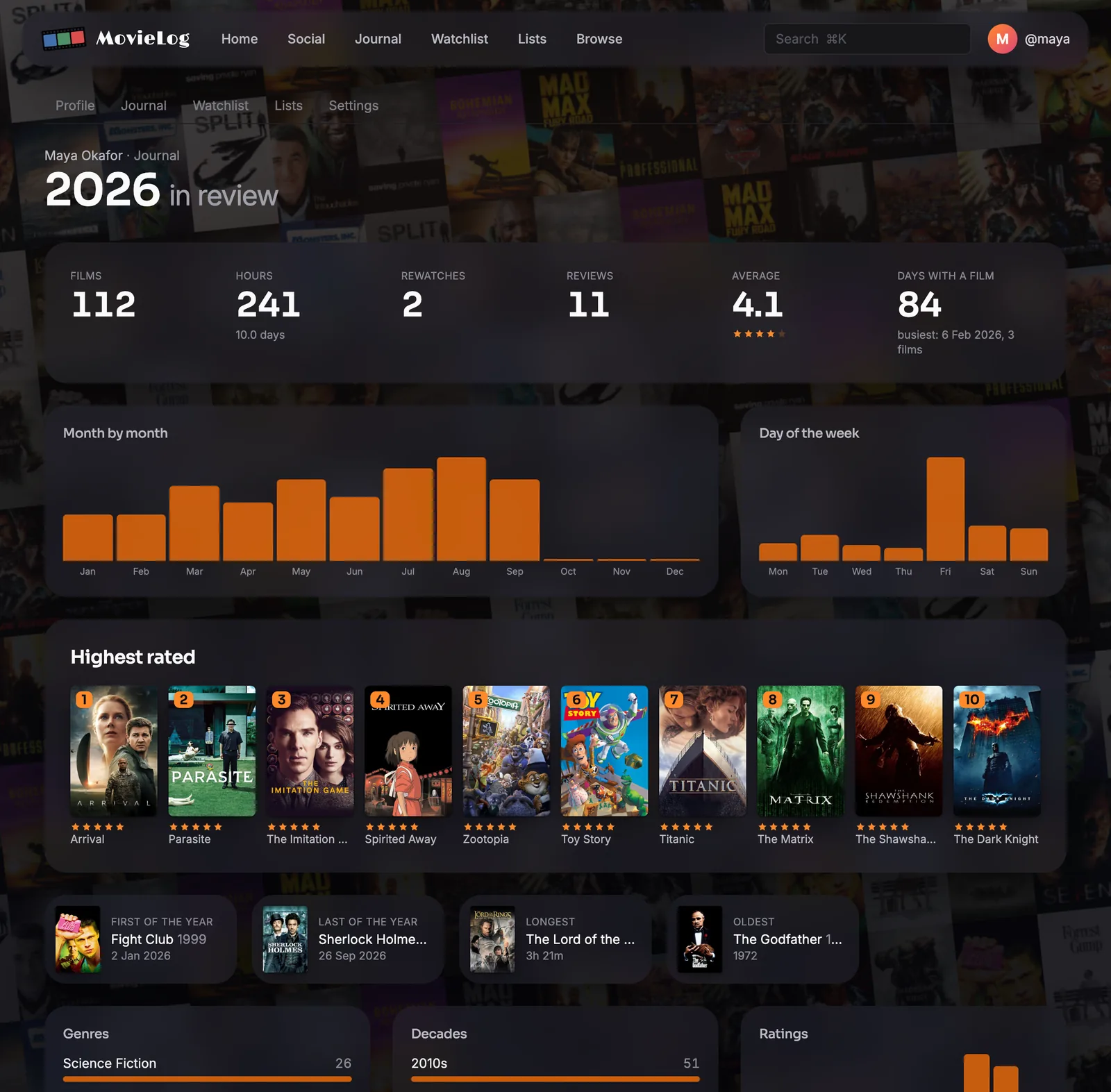
Year in review
Every year of your journal as one page: films and hours, month by month, your highest rated, firsts and lasts, top genres, directors and actors, and who you watched with.
Lists, a Top ten and a watchlist
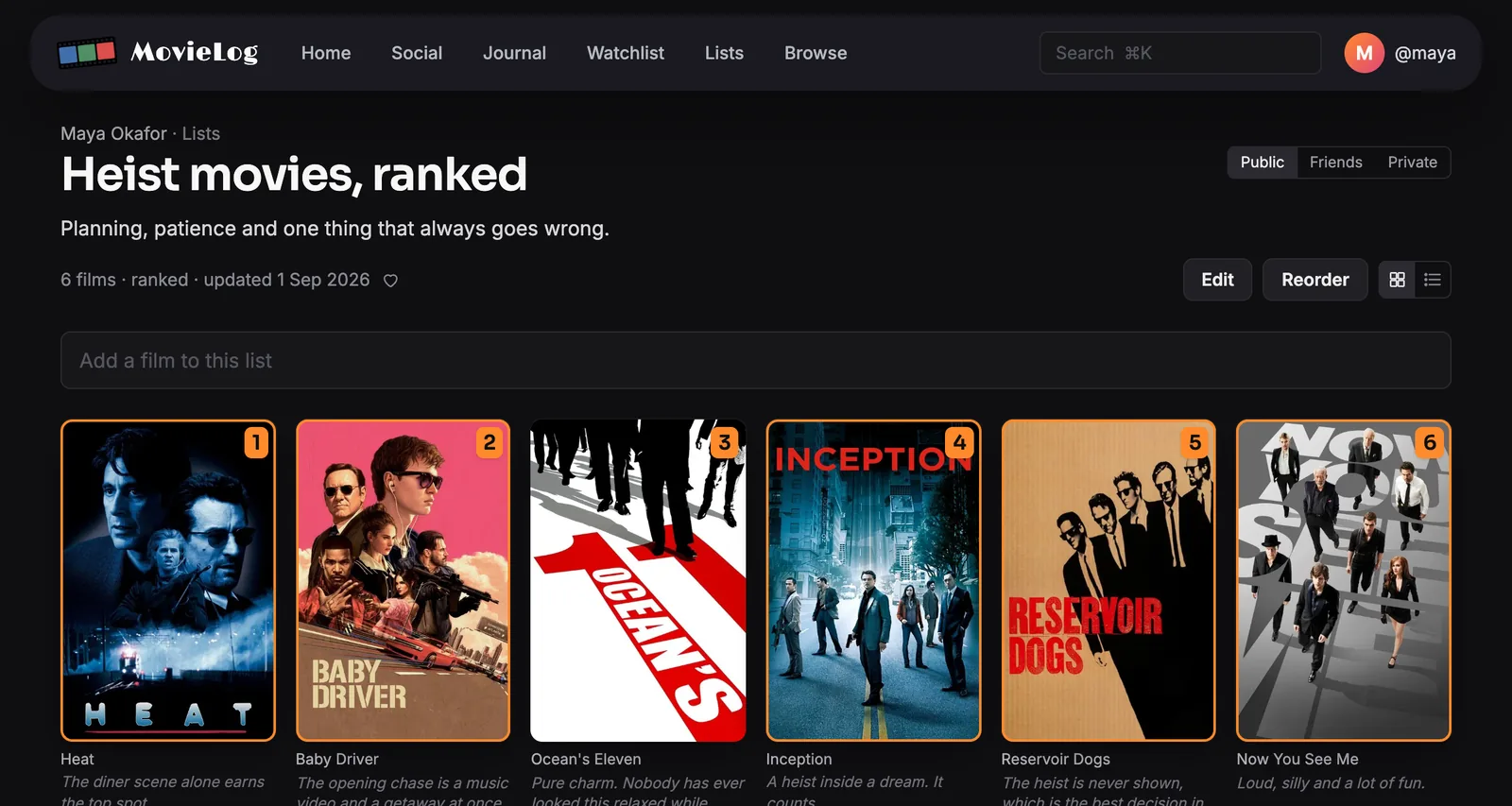
Build a watchlist, ranked lists and a personal Top ten, then arrange them the way you like.
- Ranked lists with notes. Number a list and write a note under any film on it.
- A different poster for each film in a list. The maker of a list sets the poster shown for every film on it.
- A ranked Top ten. Drag to reorder. The picker opens with your highest-rated films, so filling a slot takes one tap.
- A watchlist you can reorder. Drag films into the order you plan to watch them.
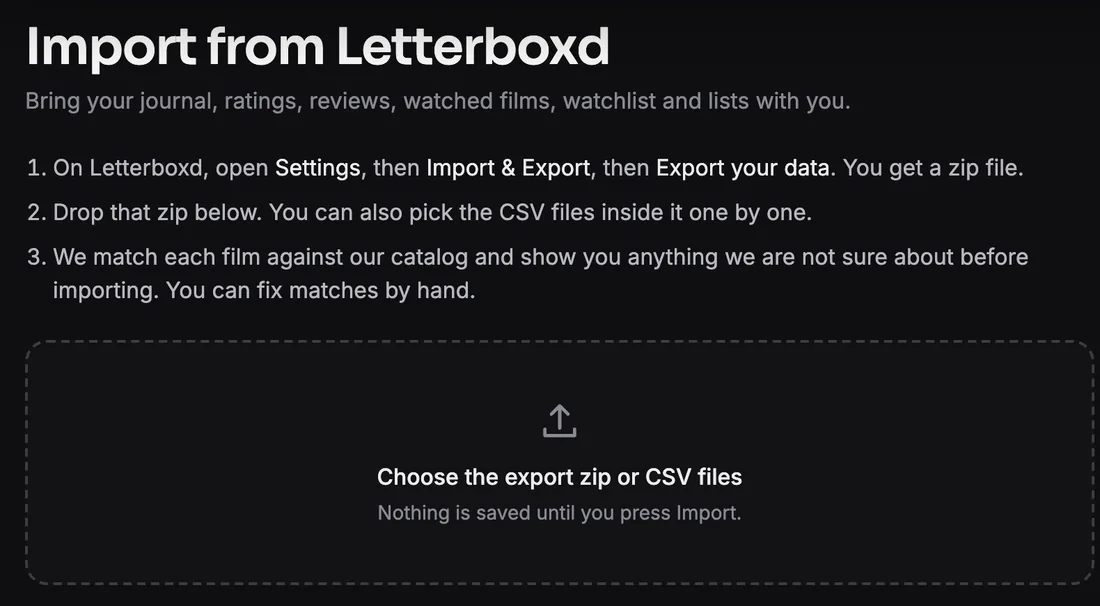
Bring your Letterboxd history
Import your history instead of starting over: diary entries, ratings, reviews, watched films, your watchlist and your lists.
- 1Export your data from Letterboxd. You get a zip file.
- 2Drop the zip on the import page. Nothing is saved until you press Import.
- 3Every film is matched against the catalog. You check the uncertain ones and fix any by hand.
Features that are free here and often paid elsewhere
Every feature on MovieLog is free. These are the ones movie platforms often reserve for paid plans.
Make it yours
Replace the poster or header image of any film with another from TMDB's gallery. Your choice shows wherever you see that film, and nobody else's view changes.
Choose a different photo for any person from TMDB's gallery.
The maker of a list sets the poster shown for every film on it.
Drag to reorder. The picker opens with your highest-rated films, so filling a slot takes one tap.
Drag films into the order you plan to watch them.
Number a list and write a note under any film on it.
Rate and review
Rate a film out of five, then optionally rate 22 aspects: story, performances, feel and craft. Film pages show the community average for each.
Optional sections under any review: would you rewatch it (yes, no, maybe), a favourite quote, the best scene, standout performances picked from the cast, and "if you liked this, watch" with films you choose. None of them needs main text.
Instead of a single like, mark how a film landed with one of ten quick reactions: love, thumbs up, thumbs down, funny, moving, hug, angry, shocked, fire or applause. Or pick any emoji from the full list.
Attach a still from the film to a review, and share any review as an image.
Tag each viewing as IMAX, theater, drive-in, home theater, TV, laptop, tablet, phone, airplane or VR headset.
Tag the people you watched with on any entry. It shows on the entry and counts toward their year in review.
Understand your taste
Every year of your journal as one page: films and hours, month by month, your highest rated, firsts and lasts, top genres, directors and actors, and who you watched with.
Films logged, films this year, average rating, a genre breakdown and a rating histogram. Each number opens the matching journal entries.
Your top actors, directors, writers, cinematographers and composers, calculated from the films you rated 4 stars or higher.
Filter by year, genre, rating, liked and reviewed. Sort by watch date, review date, release date, rating or title.
A film page shows how many times you have watched it, with every entry listed and one tap to edit.
Stay in control
Set your profile, journal, watchlist and each list to public, friends only or private.
Keep a note on any entry that only you can read, separate from the public review.
Bring your existing history with you instead of starting over.
Independent, with no studio influence
MovieLog is independently owned. No studio, distributor or advertiser pays for placement, and there are no ads or sponsored films. Ratings, averages and rankings come from what members log and from public TMDB vote data. The Trending strip is TMDB's own weekly trending list.
Privacy
MovieLog uses no advertising trackers and no third-party scripts, and does not sell or share what you watch. Poster images load from TMDB's image servers. Trailers play in YouTube's privacy-enhanced player, which loads only when you press play.
Where the film data comes from
Film facts, posters, backdrops, synopses and credits come from TMDB. Awards come from Wikidata (CC0). Streaming availability is TMDB's watch-provider data, supplied by JustWatch. This product uses the TMDB API but is not endorsed or certified by TMDB.
Start your journal
Create a free account, browse films, or write to [email protected] with questions, problems or a film that should be here.
Social features that stay out of the way
Follow people to see their journal entries in your activity feed. Like and comment on reviews and lists. Friends-only visibility is based on mutual follows. These features sit beside the diary, not in front of it. Skip all of them and nothing else changes.
Privacy controls. Set your profile, journal, watchlist and each list to public, friends only or private.